
Running a small team sometimes feels like juggling twelve responsibilities with only two hands. Everyone wears multiple hats, and even simple tasks can compete for your attention.
But having fewer employees doesn't mean you need to accomplish less. With the right automation, your small team can handle more responsibilities without constantly stretching its limits.
From welcoming customers to organizing workloads, automation helps you build a business that works smarter. Here's how you can make your small team more powerful without turning everyone into a full-time multitasker.
Simplifying New Customer Onboarding
Give Every Customer a Great First Experience
Getting a new customer is exciting, but what happens immediately afterward matters just as much. Your customer needs guidance, useful information, and confidence that they've made the right decision.
When you're managing a small team, delivering that experience consistently can become challenging. Someone needs to send instructions, explain your services, and answer questions. Meanwhile, your existing customers still need attention.
Automation allows you to create a welcoming experience without manually managing every introduction. You can prepare a series of helpful messages that guide customers through their first steps.
Imagine running a small digital marketing agency. When a customer signs an agreement, your workflow could send a welcome message through WhatsApp.
The message could introduce your team, explain upcoming activities, and provide access to necessary resources. Your customer immediately knows what to expect.
Better still, nobody on your team needs to interrupt their current work to send those initial instructions.
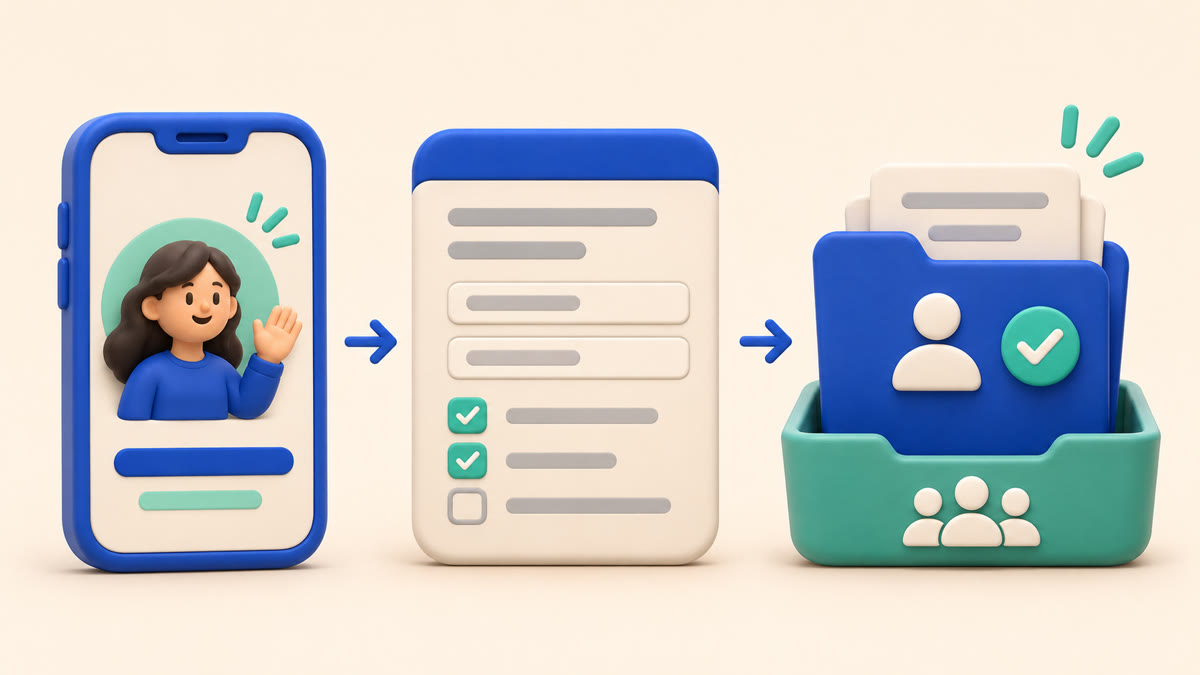
Collect Everything You Need Without the Back-and-Forth
Customer onboarding often involves collecting information scattered across emails, documents, and messaging conversations. You might request contact details today, business information tomorrow, and additional documents next week.
Before long, finding everything becomes an unexpected administrative adventure.
Instead, you can create a structured information collection process. Customers receive a simple form or guided conversation that gathers the necessary details.
For example, a website design business might request brand colors, existing website links, and preferred design styles. Customers can provide these details through a convenient form linked from their welcome message.
Your automation could then organize the information inside a shared workspace. Each team member can access relevant details without searching through lengthy conversations.
You can also identify incomplete submissions and send helpful reminders when information is missing.
This approach reduces unnecessary communication while giving customers a clearer understanding of their responsibilities. Nobody needs to send another message asking for that mysterious missing document.
Turn Onboarding Into a Guided Customer Journey
New customers can feel overwhelmed when they receive too much information at once. You might understand your entire process perfectly, but everything is unfamiliar to them.
Rather than explaining everything immediately, divide your onboarding process into manageable steps. Each step should help customers complete one important activity.
Your first message might explain how to access your service. Another could introduce useful features after the customer completes their initial setup.
Later, you might provide practical tips based on their progress.
This approach works especially well when your messages respond to customer actions. Someone who completes a setup step doesn't need another reminder about that same activity.
You could also offer different onboarding journeys for different services. Customers receive instructions relevant to their purchase instead of a generic collection of information.
The experience becomes more useful because each message arrives with a clear purpose.
Think of it as giving customers a friendly tour rather than handing them a complicated instruction manual.
Know When Your Customers Need a Real Person
Automation makes onboarding easier, but some situations still deserve personal attention. A customer might feel confused, encounter technical difficulties, or need help making an important decision.
Your onboarding workflow should recognize these moments instead of blindly continuing through scheduled messages.
For instance, a customer who repeatedly struggles with a registration step might need direct assistance. Your system could notify an appropriate team member when that happens.
You can also include a clear option for requesting personal help. Customers shouldn't feel trapped inside an endless automated conversation.
Consider tracking how many customers successfully complete your onboarding process. Incomplete steps can reveal instructions that need improvement or activities that feel unnecessarily complicated.
These insights help you improve the experience for future customers.
A strong onboarding process combines convenient automation with thoughtful human support. Your customers receive guidance, while your team concentrates on situations requiring genuine expertise.
You create a professional experience without needing an entire department dedicated to welcoming new customers.
Distributing Work Based on Team Availability
Stop Giving Everything to Your Busiest Employee
Every small team seems to have someone who magically becomes responsible for everything. They answer difficult questions, handle urgent requests, and somehow remember where every document lives.
Unfortunately, relying too heavily on one person creates an uneven workload. It also makes your business vulnerable whenever that person becomes unavailable.
Automated work distribution helps you spread responsibilities more effectively. Instead of assigning requests manually, you can establish rules that consider employee availability and existing workloads.
Imagine your business receives several customer inquiries through WhatsApp during a busy afternoon. Your automation could distribute suitable conversations among available team members.
Someone already handling multiple requests wouldn't necessarily receive another one immediately.
However, availability involves more than checking whether someone is online. You should also consider their current responsibilities and capacity for additional work.
A balanced system helps prevent unnecessary pressure while keeping customer requests moving.
Your most experienced employee might finally enjoy a lunch break without receiving another urgent notification.

Match the Right Tasks With the Right Skills
Sharing work equally sounds fair, but not every employee handles every responsibility equally well. Some people excel at technical support, while others shine during customer conversations.
Assigning tasks according to skills can improve both productivity and service quality.
Start by identifying your team's main responsibilities and areas of expertise. You can then create categories that reflect the types of requests your business receives.
For example, a small software company might separate technical problems, billing questions, and account setup requests. Each category reaches someone with appropriate knowledge.
Your messaging workflow could identify these categories through customer selections or message analysis. More complicated requests can receive manual review before assignment.
You should also consider the experience required for different tasks. Straightforward questions might provide excellent learning opportunities for newer employees.
Meanwhile, challenging problems can reach more experienced colleagues.
This approach helps you use your team's abilities effectively without expecting everyone to become an expert at everything.
Give Urgent Requests the Attention They Deserve
Not every incoming request deserves immediate attention. A customer asking about next month's schedule probably doesn't need the same response priority as a service outage.
Without clear priorities, your team might spend valuable time handling less important activities first.
Automation can help you identify requests requiring faster action. You can establish priority levels based on deadlines, service commitments, or the seriousness of reported problems.
For example, a property management company might receive maintenance requests throughout the day. Reports involving active water leaks could trigger immediate notifications for available maintenance staff.
Routine maintenance inquiries could enter a standard work queue instead.
However, avoid treating every message containing words like "urgent" as a genuine emergency. People sometimes use dramatic language for surprisingly ordinary problems.
Your system should consider context and allow employees to adjust priorities when necessary.
Clear priority rules help your team focus on meaningful responsibilities instead of responding to whichever notification arrives loudest.
Make Employee Absences Less Disruptive
Holidays, sick days, and unexpected appointments are normal parts of working life. Your business shouldn't become disorganized whenever someone takes time away.
With automated work distribution, you can adjust assignments based on employee schedules. New responsibilities can reach available colleagues rather than sitting unattended in someone's inbox.
You could connect your assignment workflow with a shared team calendar. When someone marks themselves unavailable, suitable new requests can reach another employee.
Existing responsibilities also deserve attention. Important unfinished tasks might need reassignment before someone begins an extended absence.
Create clear rules for these situations so employees know what happens to their work.
You should also establish limits to prevent remaining team members from becoming overwhelmed. When everyone reaches capacity, your system could flag requests requiring management attention.
Automation cannot create additional working hours when your entire team is busy. However, it can help you recognize capacity problems before they become serious.
Your employees gain more predictable workloads, and customers experience fewer interruptions. Taking a day off no longer needs to feel like launching a complicated business recovery plan.
Generating Reports From Conversation Data
Discover the Valuable Information Hidden in Your Inbox
Your customer conversations contain more useful business information than you might realize. Every question, complaint, and request tells you something about your customers.
Unfortunately, manually reviewing hundreds of messages takes time that small teams rarely have.
Automated reporting helps you turn everyday conversations into organized insights. Instead of reading every message individually, you can identify patterns across larger groups of conversations.
Imagine discovering that customers frequently ask whether your products include installation instructions. That repeated question might reveal missing information on your website.
Perhaps customers regularly request services that your business doesn't currently offer. Those conversations could help you recognize potential opportunities.
With suitable WhatsApp integrations, you can categorize conversations and collect relevant statistics automatically.
You don't necessarily need sophisticated artificial intelligence to begin. Simple categories and message counts can reveal useful patterns.
Your inbox becomes more than a communication channel. It becomes a practical source of information about what customers actually need.
Understand What's Really Happening With Customer Service
You might believe your team answers customer questions quickly. However, your personal impression doesn't always reflect every customer's experience.
Conversation reports can help you understand how your customer service performs throughout the day.
You could track response times, unresolved requests, conversation volumes, and resolution times. Each measurement provides a different perspective on your team's performance.
| What to track | What it can help you spot |
|---|---|
| Conversation volume | Days or hours when more customers reach out |
| First response time | When customers wait longer for an initial reply |
| Unresolved requests | Issues still waiting for follow-up |
| Resolution time | Request types that take longer to close |
For example, your reports might reveal that customer responses slow down considerably every Monday morning. That information could help you adjust staffing schedules during busy periods.
You might also discover that certain questions require several conversations before customers receive satisfactory answers. Those topics could benefit from clearer instructions or additional employee training.
Remember that quick responses don't automatically mean excellent customer service. A fast but unhelpful answer can create even more frustration.
Combine speed measurements with customer feedback and resolution information.
Your goal is understanding the quality of your service, not simply encouraging employees to reply faster.
Create Reports That Actually Help You Make Decisions
An impressive dashboard isn't necessarily a useful dashboard. You can collect hundreds of measurements without learning anything that improves your business.
Start by identifying the questions you genuinely want your reports to answer.
Perhaps you want to understand why customers frequently contact your support team. Maybe you're interested in discovering when your employees experience the greatest workloads.
Once you establish your goals, choose measurements that help answer those questions.
Your reporting workflow could automatically collect relevant data and generate a weekly summary. You might receive that summary through email, a dashboard, or a private messaging notification.
Keep the information straightforward enough to understand without spending an hour interpreting charts.
For instance, highlighting your five most common customer questions might provide more value than displaying fifty unrelated statistics.
You can also include comparisons with previous periods to identify meaningful changes.
The best reports help you decide what deserves attention next. Otherwise, you're simply creating another collection of numbers nobody reads.
Find Opportunities Without Invading Customer Privacy
Customer conversation data is useful, but it also comes with responsibilities. People may share personal information that shouldn't appear in ordinary business reports.
You should decide which information is genuinely necessary before collecting conversation data.
For example, understanding how often customers request refunds doesn't usually require displaying their names or payment details.
Aggregated information can reveal important trends without exposing individual conversations. You can also remove identifying details when preparing reports for broader audiences.
Limit access to sensitive information and establish appropriate data retention practices. Your reporting system should follow applicable privacy requirements.
If you use artificial intelligence to analyze messages, remember that automated interpretations can sometimes be incorrect.
Review examples periodically to check whether your system classifies conversations accurately. Sarcasm, unusual expressions, and complicated customer concerns can confuse automated analysis.
Treat your reports as useful evidence rather than unquestionable truth.
By combining responsible data handling with reliable analysis, you gain valuable insights without compromising customer trust.
That's a much better outcome than having an impressive dashboard and an uncomfortable privacy problem.
Building Scalable Processes With Limited Resources
Build Workflows That Can Handle More Than Today
A process that works beautifully with ten customers might become chaotic when you suddenly have one hundred.
Small teams often develop workflows around their immediate needs. That makes sense initially, but growing businesses eventually need more consistent systems.
Automation helps you create processes that can handle increased activity without requiring proportional increases in manual work.
Consider a small cleaning company that manages bookings through WhatsApp. Initially, one employee might handle every inquiry, confirmation, and schedule change.
As the customer base grows, that employee could struggle to keep up.
A structured booking workflow could collect service requirements, check availability, and send appropriate confirmations. Employees would concentrate on unusual requests instead of managing every routine booking.
You don't need to predict every possible future requirement. Instead, build workflows with enough flexibility to accommodate reasonable growth.
The goal is creating processes that remain manageable when your business becomes busier than expected.
Choose Tools That Work Well Together
Buying more software doesn't automatically make your team more productive. Sometimes, it simply gives everyone more passwords to remember.
When resources are limited, each application should serve a clear purpose within your business.
Start with the tools your employees already understand. Your existing calendar, messaging platform, and customer management system might provide everything needed for basic automation.
Look for supported integrations that allow these applications to exchange information reliably.
For example, connecting WhatsApp conversations with your customer database could reduce manual record updates. Linking that database with your scheduling system might eliminate another administrative step.
However, adding unnecessary connections can make your workflows harder to maintain.
Consider subscription costs, usage limits, technical requirements, and potential maintenance before introducing another tool.
You should also understand what happens if a service becomes unavailable or changes its pricing.
Choosing fewer reliable applications often creates a stronger foundation than collecting every exciting automation tool you discover.
Turn Your Business Knowledge Into Repeatable Processes
Small businesses frequently rely on information stored inside employees' heads. One person knows how to process refunds, while another remembers every onboarding requirement.
This arrangement might work temporarily, but it creates problems when employees leave or responsibilities change.
Documenting your important processes makes them easier to understand, improve, and automate.
You can start with simple instructions describing what triggers a process and which actions follow.
For example, your refund procedure might involve verifying purchase details, checking eligibility, and obtaining approval.
Once those steps are clear, you can automate suitable activities while keeping important decisions under human control.
Document your automation rules alongside the original process. Employees should understand why certain actions happen and how to handle exceptions.
Keep these instructions somewhere accessible and update them whenever your workflow changes.
Clear documentation also makes training new employees considerably easier.
Your business becomes less dependent on individual memory, and nobody needs to become the unofficial keeper of mysterious company knowledge.
Grow Without Creating an Automation Monster
It's tempting to automate everything once you discover how useful automation can be. Before long, you might have dozens of connected workflows performing surprisingly complicated activities.
Unfortunately, complicated systems can become expensive and difficult to maintain.
Start by automating processes with frequent activity, predictable rules, and meaningful benefits. Avoid spending hours automating something that happens twice each year.
You should also establish a clear owner for every important workflow. Someone needs to understand how it works and respond when problems occur.
Set up notifications for failed actions, missing information, and unusual activity. A small problem becomes easier to resolve when you discover it early.
Review your workflows periodically and remove unnecessary steps. Business processes change, and yesterday's clever solution might become tomorrow's administrative headache.
As your company grows, evaluate whether your existing tools still meet your needs. Sometimes, replacing several small integrations with one reliable system makes financial and operational sense.
Sustainable automation isn't about creating the largest collection of workflows. It's about building dependable processes that deliver useful results without demanding constant supervision.
Small Team, Bigger Possibilities
You don't need a large workforce to deliver organized, professional, and responsive customer experiences. You need processes that make effective use of your team's time and abilities.
Automation can help you welcome customers, distribute responsibilities, understand conversations, and prepare for growth.
Start with one meaningful improvement rather than trying to transform your entire business overnight. Give your team time to understand the changes and evaluate their results.
As your processes improve, your business becomes less dependent on repetitive manual work.
Your small team can accomplish more without sacrificing service quality or employee well-being.
And everyone might finally have enough time to remember what their original job description said.